

Use Schema.org Service on dedicated service pages and link each Service node to your Organization via @id. Add provider, serviceType, areaServed, and offers as your top-priority properties, and never publish a value that isn't visible on the page itself. Get that mirroring right, and the rest of your implementation becomes a matter of expanding, not fixing.
Table of Contents
- What Is Schema for Services and When Should You Use It?
- Which Service Properties Should You Implement First?
- How Do You Write JSON-LD for a Service Page?
- How Do You Test and Validate Service Schema?
- What Mistakes Should You Avoid With Service Schema?
- How Do You Connect Service Schema Into an Entity Graph?
- Does Service Schema Actually Affect SEO and Click-Through Rate?
- What Do Advanced Service Schema Examples Look Like?
- How Executive Edge Partner Group Applies Service Schema in Authority Campaigns
- Where to Verify Service Schema Details
- Sources
- FAQ
What Is Schema for Services and When Should You Use It?
The Schema describes an offering your business provides rather than a physical product a customer takes home. That distinction matters more than it sounds. A landscaping company mowing lawns is a service. A bag of fertilizer sold on the same site is a product. Mixing the two under one schema type confuses both search engines and any AI system trying to parse what you actually sell.
Service connects to two other types you're probably already using: Organization (or its more specific subtype, LocalBusiness) and OfferCatalog. Organization identifies who you are as a business entity. Service describes what you do. OfferCatalog lists the specific packages, tiers, or line items within that service. Think of Organization as the noun, Service as the verb, and OfferCatalog as the fine print.
Service schema fits several common scenarios:
- Home service businesses (HVAC, plumbing, cleaning, landscaping) describing a specific offering on its own page
- Professional service firms (law, accounting, consulting) detailing a practice area
- SaaS companies describing a subscription-based service rather than a downloadable product
- Multi-location businesses that need one Service node per location or service area
One caveat worth stating plainly: marking up a page with Service schema helps machines understand your content. It does not guarantee a rich result, a featured snippet, or any particular ranking boost. Treat it as clarity infrastructure, not a ranking shortcut.
Which Service Properties Should You Implement First?
Not every property on the schema.org Service reference carries equal weight. Some are load-bearing. Others are nice-to-haves you can add later. Here's the order that actually moves the needle for a business service page.
- provider — Reference your Organization or LocalBusiness node using
@id, not a duplicated block of text. This is the single connection that tells machines "this service belongs to this business," and skipping it is the most common mistake on service pages. - serviceType — A short, specific label ("Residential Roof Repair," not "Home Services"). This should read close to the visible H1 on the page.
- name and description — These must match what a visitor actually reads, not a keyword-stuffed variant written only for the schema block.
- areaServed — Defines the geography you serve. This is different from the informal "service area" language on your website and different from what you set in your Google Business Profile; areaServed is a structured field expecting a Place, City, State, or GeoShape value, not a paragraph of city names.
- offers and hasOfferCatalog — Use
offersfor a single priced service, andhasOfferCatalogwhen you have multiple tiers or packages under one service (a good pattern for consulting retainers or maintenance plans). - aggregateRating and review — Only include these if they pull from real, verifiable customer reviews. Fabricated or scraped ratings are one of the fastest ways to lose trust with both search engines and AI evaluators.
- hoursAvailable, availableChannel, serviceOutput — Situational properties worth adding once the core fields are solid, especially for appointment-based or output-driven services.
Pro Tip: Start with one canonical service page, get every property above validating cleanly, then template that structure across your other service pages instead of building all of them at once.
The properties above aren't arbitrary. A small, accurate set of fields connected by a stable @id outperforms a bloated schema block that tries to cover every possible property whether or not the page supports it.
How Do You Write JSON-LD for a Service Page?
Here's a working example for a mid-sized service business, structured so the Organization, the Service, and the Offer catalog all connect through @id references rather than sitting as disconnected blocks.
{
  "@context": "https://schema.org",
  "@graph": [
    {
      "@type": "Organization",
      "@id": "https://example.com/#organization",
      "name": "Example Home Services",
      "url": "https://example.com",
      "sameAs": ["https://www.linkedin.com/company/example"]
    },
    {
      "@type": "Service",
      "@id": "https://example.com/services/roof-repair/#service",
      "name": "Residential Roof Repair",
      "serviceType": "Roof Repair",
      "description": "Emergency and scheduled roof repair for residential properties.",
      "provider": { "@id": "https://example.com/#organization" },
      "areaServed": { "@type": "City", "name": "Tyler, TX" },
      "hasOfferCatalog": { "@id": "https://example.com/services/roof-repair/#offers" }
    },
    {
      "@type": "OfferCatalog",
      "@id": "https://example.com/services/roof-repair/#offers",
      "name": "Roof Repair Packages",
      "itemListElement": [
        { "@type": "Offer", "name": "Emergency Repair", "price": "0", "priceCurrency": "USD" },
        { "@type": "Offer", "name": "Scheduled Inspection and Repair", "price": "0", "priceCurrency": "USD" }
      ]
    }
  ]
}
Notes on how each piece behaves in production:
| Node | Where it lives | Key rule |
|---|---|---|
| Organization | Usually a shared snippet on every page | One stable @id, reused site-wide |
| Service | The specific service page | @id unique per service and per location |
| OfferCatalog | Same page as the Service | Referenced by @id, not duplicated |
Host the snippet in the <head> for most CMS setups, though placement in the <body> works fine as long as it renders in the initial HTML. For CMS templating, build the Service block as a reusable component that pulls serviceType, name, and areaServed from page fields, so every new service page inherits correct structure automatically. If a single page covers multiple services, create one Service node per offering, each with its own @id, rather than cramming multiple services into one node.
How Do You Test and Validate Service Schema?
Run every service page through two tools before it goes live. Validator checks syntax and shows exactly what gets parsed from your rendered HTML, which catches malformed JSON or broken @id references. Google's Rich Results Test checks the same markup against Google's own eligibility rules, and Search Console's Enhancements report tracks errors at scale once pages are indexed.
Before pushing a template to production, run this checklist:
- Every value in the schema matches something visible on the rendered page
- The
@idfor each Service node is unique and stable (don't regenerate it on every deploy) sameAslinks point to real, active profiles for the OrganizationdateModifiedreflects actual content updates, not a build timestamp- areaServed values match what's listed on your Google Business Profile
Pro Tip: Deploy schema changes to one template first, watch Search Console for a full crawl cycle, then roll the pattern out to the rest of your service pages. Rolling out to every page simultaneously makes it much harder to isolate what broke if something does.
What Mistakes Should You Avoid With Service Schema?
The biggest failure mode isn't a missing property. It's a mismatched one. If your schema claims a 4.9 rating and your page shows no reviews, or your areaServed lists twelve cities your visible copy never mentions, you've created a credibility gap that both crawlers and human fact-checkers can catch.
Schema should describe only what the rendered page visibly proves. Overclaiming or adding hidden structured data doesn't just risk a penalty. It undermines the entire premise of structured data, which is that it accurately represents what's already there.
A few rules keep implementations clean:
- Only mark up what a visitor can actually see and verify on the page.
- Never invent an aggregateRating or add offers that don't exist anywhere in visible copy.
- Use the most specific applicable type. If you run a dental office, LocalBusiness or a more specific subtype often communicates more than a generic Service node alone.
- Keep your business name, address, and phone number identical across schema, directory listings, and your website footer. Inconsistency across these sources is one of the more overlooked reasons an entity fails to resolve cleanly for machines.
- Don't expect Service schema to manufacture a new SERP feature on its own. Treat it as entity clarity, not a ranking lever.
How Do You Connect Service Schema Into an Entity Graph?
A single Service node floating on a page tells machines very little about who's behind it. The fix is a connected @graph: one JSON-LD structure where Organization, Person, WebPage, and Service nodes all reference each other through stable @id values rather than repeating information in isolated blocks.
Build the graph in this order:
- Organization node first, with a permanent
@id(commonly the homepage URL plus a fragment like#organization) - Person node for the author, owner, or practitioner, connected to the Organization via
worksFororfounder - WebPage node for the specific service page, using
mainEntityOfPageto point to the Service - Service node last, referencing Organization through
providerand the WebPage throughmainEntityOfPage
sameAs links matter here more than most businesses realize. Pointing your Organization node to your verified LinkedIn, Better Business Bureau profile, or industry association listing gives outside systems independent confirmation that the entity you're describing actually exists and matches your claims. Businesses that string together stable @id values with accurate sameAs links see measurably better extraction accuracy from AI systems than sites publishing disconnected schema blocks per page.
Pro Tip: Build your Organization and Person nodes once, store them as a shared snippet, then reference them by @id from every Service page instead of copy-pasting the full block each time. It's less error-prone and keeps every page pointing to the same identity.
Some guidance in this space also treats Organization and Person schema as the priority layer, with Service schema doing its best work only once that identity foundation is solid.
Does Service Schema Actually Affect SEO and Click-Through Rate?
Service schema itself doesn't directly move rankings. What it does is remove ambiguity for the systems trying to categorize your page, which indirectly supports both traditional SEO and how AI answer engines choose what to cite. A page with clear serviceType, areaServed, and provider data gives search engines fewer guesses to make about relevance to a local or category-specific query.
The click-through impact is more indirect than direct. Service schema alone rarely produces a new visual element in search results the way, say, Recipe or Event schema can trigger rich snippets. Where it helps is in supporting the systems that decide whether your business gets surfaced at all for a given service and location combination, which is a precondition for any click happening in the first place.
The stronger driver of AI visibility, based on current guidance on schema and AI citations, is consistency: does your schema match your Google Business Profile, your visible page copy, and your third-party listings? A business with tight consistency across those sources tends to get cited more reliably by AI tools than one with technically valid but disconnected schema. Treat Service schema as one input into a larger trust signal, not a standalone lever.
What Do Advanced Service Schema Examples Look Like?
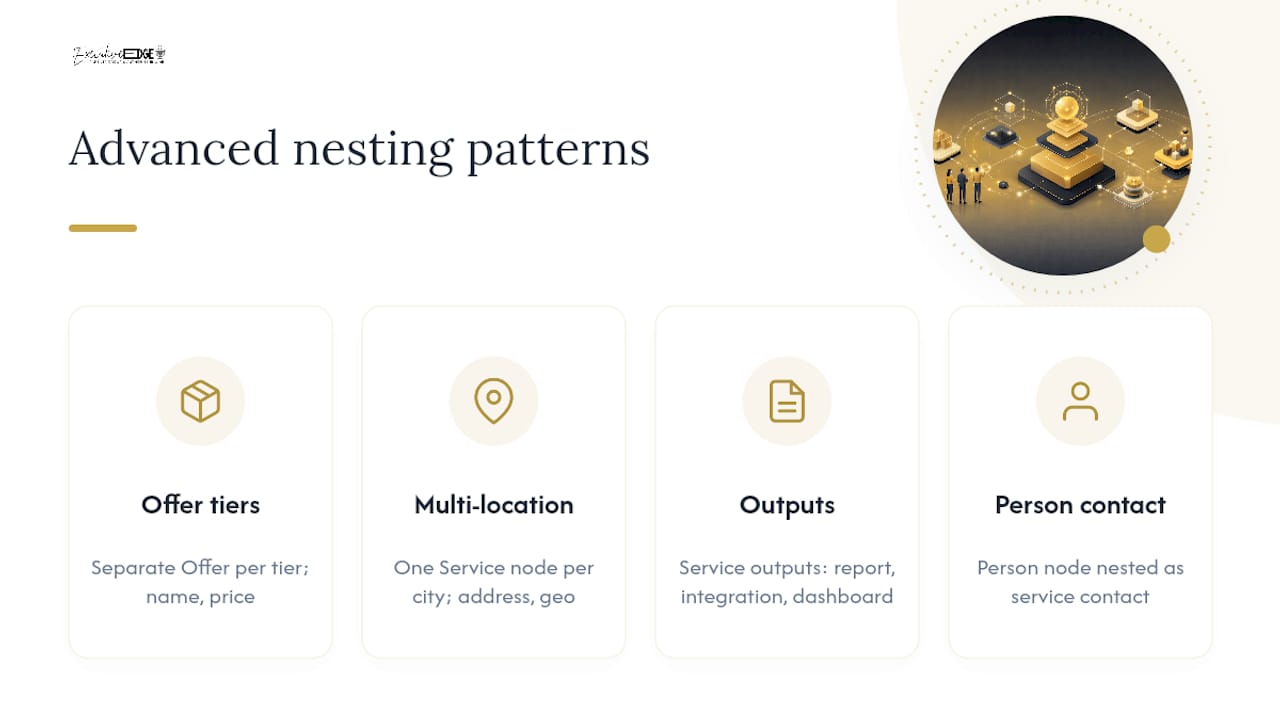
Once the basics validate cleanly, there's room to get more specific. A consulting firm with three engagement tiers can nest each tier as an individual Offer inside hasOfferCatalog, with its own name, description, and price range, rather than describing the service in one flat paragraph. A multi-location HVAC company can create one Service node per city, each with its own areaServed and @id, all pointing back to the same Organization node.
SaaS companies often combine Service with detailed serviceOutput values to describe what a customer receives (a generated report, a completed integration, an ongoing monitoring dashboard) rather than leaving the offering vague. Professional service firms sometimes nest a Person node inside provider alongside the Organization, useful when a specific attorney or consultant is the named point of contact for that particular service line.
The pattern across all of these: nesting exists to add precision, not padding. A three-tier OfferCatalog with real prices and real descriptions is useful. A three-tier OfferCatalog with placeholder text copied across every tier is worse than no OfferCatalog at all, since it actively misrepresents what's offered. Vendor implementation guides covering service schema for businesses walk through several of these nested patterns in more technical detail if you're templating this across a large service catalog.
How Executive Edge Partner Group Applies Service Schema in Authority Campaigns
Schema is one piece of a bigger visibility puzzle, and we treat it that way. When we build out a client's entity graph, Service nodes get connected to Organization data, verified profiles, and the long-form content we're already producing, podcast episodes, articles, video, so that AI discovery tools have a consistent, well-linked picture of the business rather than a single isolated data point.
We see this play out consistently with East Texas businesses: a service page with clean schema paired with authority content built around it gives AI systems and search engines more reasons to trust the entity behind it. Schema doesn't replace that content or a verified Google Business Profile. It reinforces them.
If your business needs a system that handles the content, the distribution, and the technical entity work together, Executive Edge Partner Group can build that as a connected authority engine rather than a pile of disconnected tactics.
Where to Verify Service Schema Details
For the property list itself, the Service type reference on Schema.org is the primary source and stays current as the vocabulary evolves. Run your markup through validator.schema.org for syntax checks, and pair it with Google's Rich Results Test for search-specific eligibility. For implementation patterns beyond the basics, the Schema App guide to service schema and John Kavanagh's piece on overclaiming are both worth bookmarking for reference.
Sources
- Schema
- Validator
- How schema markup fits into AI search — without the hype
- Schema For Service Pages Without Overclaiming | John Kavanagh
- How to Create Service Schema Markup for Businesses
FAQ
What Are the Four Main Types of Schema Markup?
The four formats generally recognized are JSON-LD, Microdata, RDFa, and JSON. JSON-LD is the format Google recommends and the one used throughout this guide, since it's easiest to maintain separately from your HTML.
What Is a Good Example of Service Schema?
A clean example is a Service node for "Residential Roof Repair" that references an Organization via @id, lists areaServed as a specific city, and links to an OfferCatalog with real, priced packages, exactly the structure shown in the JSON-LD example above.
What Are the Different Schema Types Available on Schema.org?
Schema.org organizes types into a hierarchy under broad categories like Thing, with major branches including Organization, Person, Product, Service, Event, and CreativeWork. Service itself sits under Intangible, alongside types like Offer and Brand.
What Does "Schema With Example" Mean in Practice?
It typically refers to seeing a real JSON-LD snippet rather than just a property list, since properties like provider or hasOfferCatalog are much easier to implement correctly once you can see how they connect through @id references in a working example.
Does Every Business Need Service Schema?
Only businesses with dedicated service pages benefit meaningfully. A single-page site with no distinct service offerings gets more value from solid Organization and LocalBusiness markup than from a Service node with nothing specific to describe.