

A local business YouTube channel setup means creating a dedicated Brand Account on YouTube, designing device-ready branding, and publishing location-targeted video content that helps nearby customers find and trust you. YouTube is the second largest search engine in the world. That fact alone makes it one of the most underused tools in local business marketing. For business owners in Tyler, Texas and across East Texas, a well-built YouTube channel can generate consistent visibility without paying for every click.
What tools and accounts you need for your local business YouTube channel
The first step is separating your business from your personal Google account. A dedicated YouTube Brand Account keeps your business identity clean, protects your personal credentials, and lets multiple team members manage the channel without sharing passwords. This matters more than most business owners realize at the start.
YouTube Studio is the control center for your channel. It handles uploads, analytics, scheduling, comment management, and thumbnail editing from one dashboard. You do not need third-party software to run a professional channel.

For channel art and thumbnails, Canva and Adobe Express are the two most practical tools for business owners without a design background. Both offer YouTube-specific templates sized to the correct dimensions. Canva's free tier covers most needs for a new channel.
Account types at a glance:
| Account Type | Best For | Key Benefit |
|---|---|---|
| Personal Google Account | Individual creators | Simple setup |
| YouTube Brand Account | Local businesses | Multi-manager access, clean branding |
| YouTube Studio | Channel management | Analytics, scheduling, uploads |
- Create a new Google account using your business email address
- Visit YouTube and select "Create a channel" under your account settings
- Choose "Use a custom name" to create a Brand Account separate from your personal profile
- Add team members as managers inside YouTube Studio under Settings > Permissions
Setting up Brand Account permissions early lets editors and managers upload content independently. This reduces downtime if staff changes happen and keeps your main Google account credentials secure.
How to create and brand your YouTube channel for all devices
Channel branding is not cosmetic. It signals professionalism to first-time visitors and tells them within seconds whether your business is worth their time. Get the technical specs right from the start so your channel looks sharp on every screen.
Follow these steps to build your channel brand:
- Log into YouTube with your business Google account and open YouTube Studio
- Click "Customize Channel" and go to the Branding tab
- Upload your profile picture (minimum 98×98 pixels; a logo or professional headshot works well)
- Set your channel name to match your business name exactly as it appears on Google
- Create a custom handle (for example, @YourBusinessNameTyler) for easy sharing
- Design your channel banner and upload it under the Branding tab
The banner is where most business owners make a costly mistake. YouTube banners require a 2560×1440 pixel canvas with all critical text and logos placed inside a 1546×423 pixel safe zone. Content outside that safe zone gets cropped on phones and tablets. File formats accepted are JPG, PNG, GIF, and BMP, with a maximum file size of 6MB.
Design your banner in Canva using the YouTube channel art template. Place your business name, tagline, and posting schedule inside the center safe zone. Keep the outer areas clear of important content.
Pro Tip: After uploading your banner, view your channel on a phone, a tablet, and a desktop browser before publishing any videos. What looks balanced on a desktop often appears cropped or off-center on mobile.
Write a channel description of 150–250 words in the About section. Include your city, your service area, and two or three keywords your customers actually search. This text is indexed by Google and helps your channel appear in local search results.
How to schedule and publish videos consistently
Consistency builds audience expectation. Posting on a regular schedule signals to the YouTube algorithm that your channel is active, which improves how often your videos get recommended. Weekly or twice-monthly uploads are realistic targets for most local businesses.
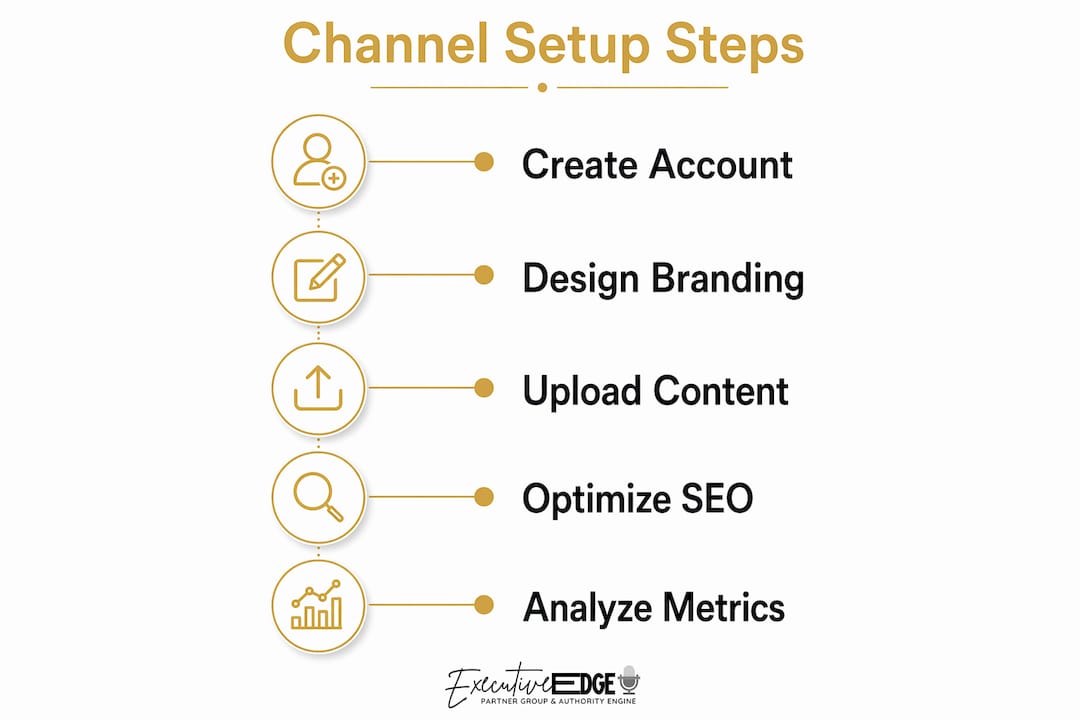
YouTube Studio's scheduling feature removes the pressure of publishing in real time. You can schedule uploads up to 12 months in advance, with titles, descriptions, thumbnails, and visibility settings all configured during the upload process. The recommended practice is to schedule at least 24–72 hours ahead to allow YouTube time to process the video fully before it goes live.
Steps to schedule a video in YouTube Studio:
- Click "Create" and select "Upload videos"
- Drag your video file into the upload window
- Fill in the title, description, and tags while the video processes
- Upload your custom thumbnail (1280×720 pixels, JPG or PNG)
- Under "Visibility," select "Schedule" and choose your publish date and time
- Click "Schedule" to confirm
Pick your publish time based on when your audience is most active. YouTube Studio's Analytics tab shows audience activity by day and hour once your channel has data. Before that, tuesday through thursday mornings and early evenings tend to perform well for local service businesses.
Pro Tip: Sync your video release dates with local events, seasonal campaigns, or product launches. A roofing company in East Texas, for example, could schedule storm-season prep videos to publish in march and april, right when homeowners start searching.
One caution worth noting: copyright strikes can suspend your channel's posting privileges, and three strikes within 90 days result in permanent channel removal. Use royalty-free music from YouTube Audio Library or tools like Epidemic Sound to avoid this risk entirely.
How to rank your videos for local SEO
YouTube video optimization for local search is the same discipline as local SEO on Google, applied to video metadata. The goal is to make your videos discoverable by people searching for your services in your city or neighborhood.
Place your primary local keywords in the first two sentences of every video description. Descriptions should run 150–300 words and include your city name, neighborhood, and service area. Add your full business NAP (name, address, and phone number) at the bottom of every description. Link to your Google Business Profile in the description as well.
Local hashtags matter more than most business owners expect. Tags like #TylerTX, #EastTexasPlumber, or #SmithCountyRealEstate connect your videos to location-based searches on YouTube. Use three to five relevant hashtags per video.
Local SEO checklist for every video:
- Primary keyword in the video title (within the first 5 words when possible)
- City and service area in the first two sentences of the description
- Full business NAP at the bottom of the description
- Link to Google Business Profile
- Three to five local hashtags
- Video embedded on the relevant service page of your website
Local SEO comparison: optimized vs. unoptimized video descriptions
| Element | Unoptimized | Optimized |
|---|---|---|
| Description length | 20 words | 150–300 words |
| Location mention | None | City + neighborhood |
| NAP included | No | Yes |
| Hashtags | None | 3–5 local tags |
| Google Business link | No | Yes |
Use clear keywords in titles, descriptions, and tags to help your videos surface on both YouTube and Google. Embedding videos on your website's local landing pages adds an additional signal that connects your content to your service area.
Pro Tip: Cross-promote with complementary local businesses by mentioning or tagging them in relevant videos. A landscaper and a fence installer serve the same homeowner. A shared mention costs nothing and expands both channels' reach.
How to build a video library that keeps local viewers coming back
A single viral video does not build a business. A structured video library with content at every stage of the customer journey creates multiple discovery paths and keeps viewers returning. Plan your first 90 days of content before you publish your first video.
The most effective local business video libraries include three content layers. Beginner content answers basic questions your customers ask before they even know they need you. Problem-focused content addresses specific pain points and positions you as the solution. Decision-stage content, such as testimonials, case studies, and before-and-after walkthroughs, helps viewers choose you over a competitor.
Content types that work for local businesses:
- How-to tutorials relevant to your service (for example, "How to know when your HVAC needs replacing")
- Customer testimonial videos filmed on location
- Behind-the-scenes videos showing your team and process
- Product or service demos with local context
- YouTube Shorts (60 seconds or less) for quick tips and promotions
- Live Q&A sessions tied to local events or seasonal topics
Building a varied content library avoids the trap of chasing one-off views. Each video you publish becomes a permanent discovery point for new customers. A plumber in Tyler who publishes 30 videos answering common homeowner questions owns 30 separate search results, not just one.
Use YouTube Studio's Analytics section to see which videos drive the most watch time and clicks. Double down on the formats and topics that perform. Drop the ones that consistently underperform after 60 days.
What I have learned from watching local businesses build YouTube channels
Most local business owners treat YouTube like a social media platform where you post and hope something catches. That mindset produces inconsistent results. YouTube is a search engine. Every video you publish is a permanent asset that can generate views and leads for years without additional spending.
The businesses I have seen succeed fastest are the ones that set up their Brand Account correctly from day one, assign a team member as channel manager, and commit to a 90-day content plan before they ever hit publish. The ones that struggle post three videos, see modest early numbers, and quit before the channel has enough content to build momentum.
The other pattern I notice consistently is that local businesses underestimate how much their community wants to see them. People want to know the owner, the team, and the story behind the business. A 90-second video of a contractor walking through a finished project in their own neighborhood outperforms a polished corporate-style production almost every time. Authenticity is not a soft concept here. It is a measurable advantage in local video marketing.
Patience is not optional. YouTube channels typically take three to six months of consistent publishing before analytics start showing meaningful growth. Treat that period as an investment, not a waiting game. Use the time to refine your content, improve your thumbnails, and sharpen your local SEO metadata.
— David Domm
How Executive Edge Partner Group supports your YouTube channel growth
Building a YouTube channel that actually drives local business results takes more than a camera and good intentions. Executive Edge Partner Group works with local business owners to set up, brand, and grow YouTube channels that generate real visibility in their market.
From channel setup and branding to content planning and local video marketing strategy, the team at Executive Edge Partner Group handles the work that most business owners do not have time to learn. If you are ready to build a YouTube presence that works as a long-term business asset, visit Executive Edge Partner Group to learn how the Authority Engine system can support your growth.
FAQ
What is a YouTube Brand Account for local businesses?
A YouTube Brand Account is a channel tied to your business Google account rather than your personal profile. It supports multiple managers, keeps your business identity separate, and is the recommended setup for any local business YouTube channel.
How often should a local business post on YouTube?
Weekly or twice-monthly uploads are realistic and effective for most local businesses. Consistent posting builds audience expectation and improves how often YouTube recommends your videos.
What size should a YouTube channel banner be?
YouTube channel banners require a 2560×1440 pixel canvas with critical content placed inside a 1546×423 pixel safe zone. Content outside the safe zone gets cropped on mobile devices.
How do I optimize YouTube videos for local search?
Include your city and service area in the first two sentences of your video description, add your full business NAP, use three to five local hashtags, and link to your Google Business Profile. Embedding videos on your website's local service pages adds additional local search signals.
How far in advance can I schedule YouTube videos?
YouTube Studio lets you schedule videos up to 12 months in advance. Scheduling 24–72 hours ahead of your target publish time gives YouTube enough processing time to deliver the video correctly.